
Your photos.
Ready to go.
A whole folder, the right size. Resize images, make a few edits and save them together — all on your device.
See the workspaceFree extension for desktop Chrome.
Your images stay on your device.
No account. No image uploads. No extension analytics.From a folder full
to a job done.
For website pictures, everyday uploads and photos you want to share. One simple workflow, from import to export.
Add your images
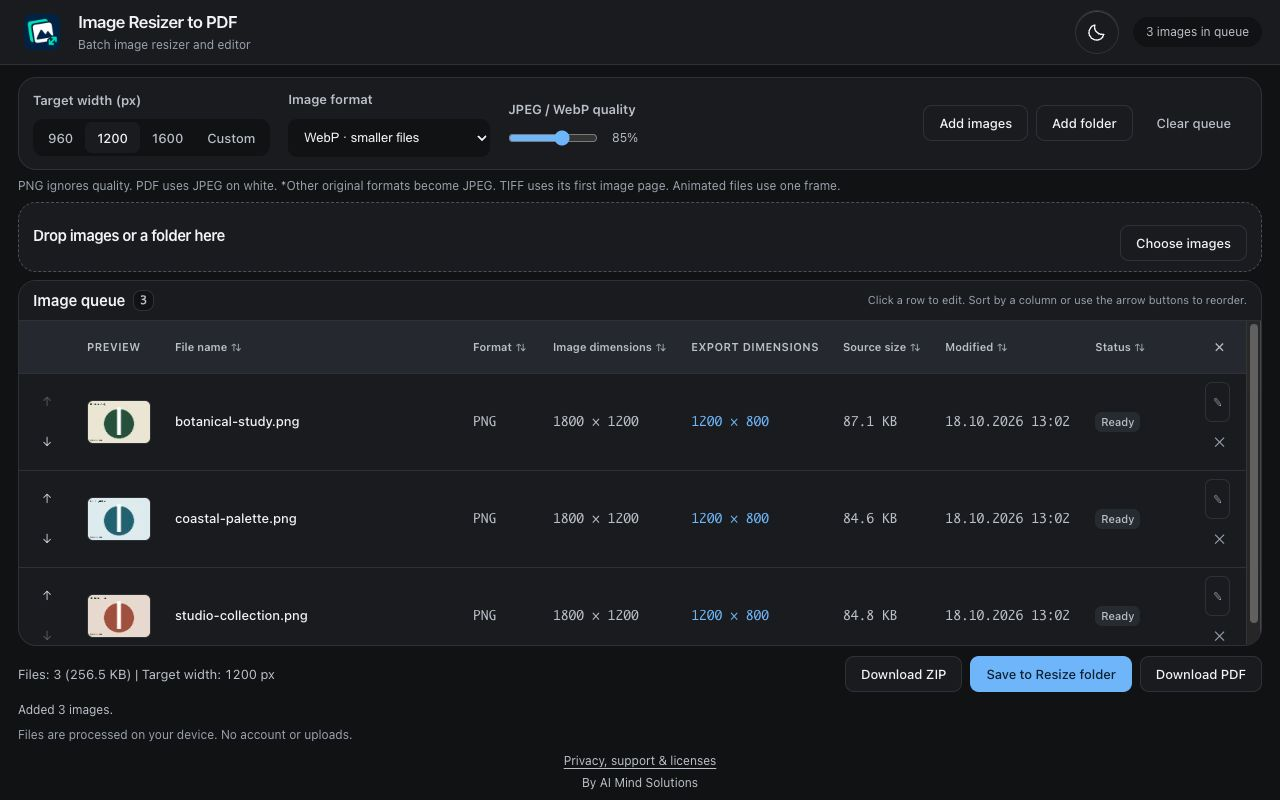
Drop in your files or choose a folder. See the dimensions and put your images in the order you need.
Make them fit
Choose a width for the batch. Crop, rotate, straighten or annotate individual images when they need attention.
Save them together
Export JPEG, PNG or WebP to a folder or ZIP. Or combine the queue into a PDF, one image per page.
A little edit.
A better result.
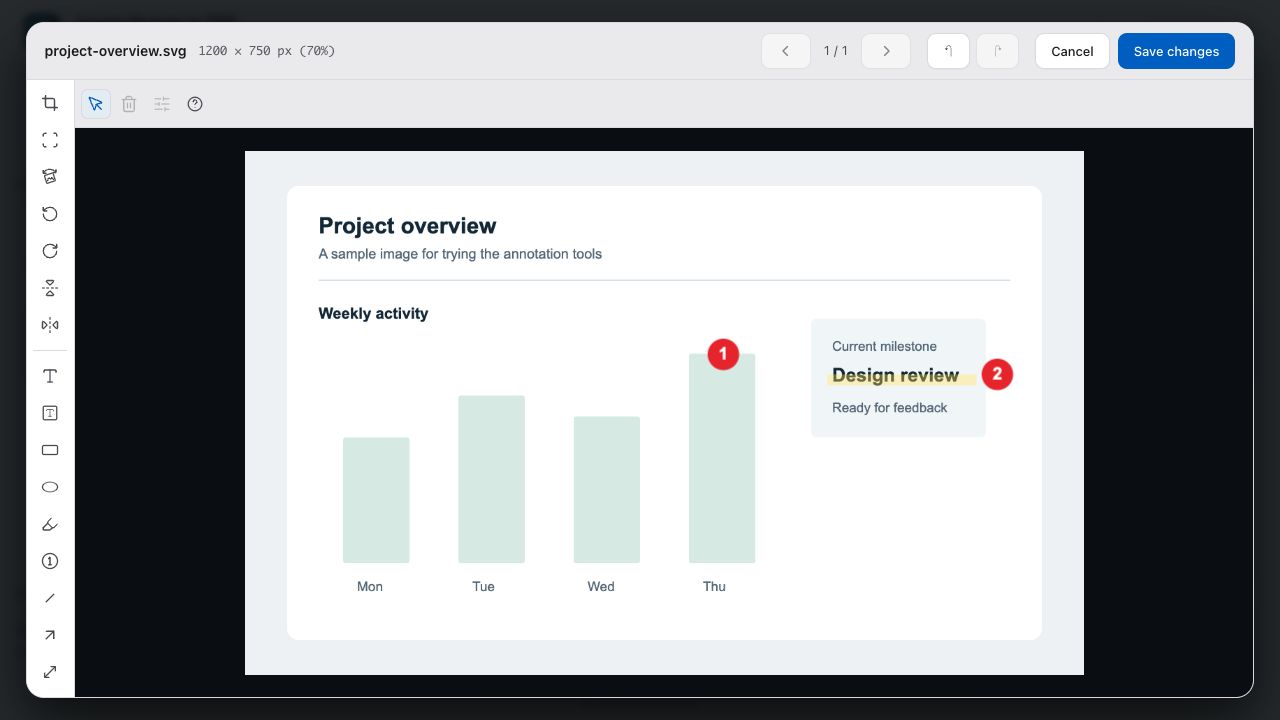
Fix a tilted photo or crop out the edges before exporting the batch. Undo, redo and reset help you get it right.
Your original files stay unchanged. You choose where the results are saved.
Read the privacy policyA few useful details.
Where can I use it?
Image Resizer to PDF is an extension for desktop Chrome, opening in its own app-like window. Add images, make your edits and export the results locally on your computer.
Which image formats can I open?
Common formats include JPEG, PNG, WebP, AVIF, BMP, GIF and SVG. A bundled local decoder handles supported HEIC/HEIF variants, and TIFF imports its first image page. Some HEIC variants are unsupported. Animated images become one frame, and SVG is rasterized.
Can I make an image an exact number of KB?
You can choose pixel dimensions and JPEG/WebP quality, then check the exported size. An exact KB limit is not guaranteed. PNG ignores the quality setting. Export metadata is not preserved.
How does PDF export work?
Your queue becomes a single PDF with one image per page, in queue order. Pages follow the image proportions; transparent areas become white. The PDF contains raster images, not searchable or editable text. Existing PDFs cannot be imported or compressed.
Are there limits?
A queue can hold up to 100 entries, with a 50 MB limit per source file and 256 MB of retained queue data. Images are limited to 40 megapixels and 16,384 pixels per side. ZIP/PDF encoded image data is limited to 256 MB. Large images or extreme proportions can be rejected. Use ZIP if your browser does not support saving directly to a folder.
A simpler way to
get photos ready.
Free. Local. Built for desktop Chrome.
Get help